Instagram Text Repeater: How to Repeat Words, Emojis & Captions (Copy & Paste Guide)
Master the Instagram Text Repeater: generate repeated text, emojis, aesthetic captions, and viral comments. Learn Instagram character limits, safety tips, and copy-paste templates.
Instagram is one of the most visual and dynamic social media platforms on the planet, boasting over two billion monthly active users. From eye-catching Reels and photo carousels to viral comment sections and aesthetic profile biographies, text plays a crucial role in capturing attention. While Instagram is primarily visual, nothing stops a user mid-scroll quite like a show-stopping wall of repeated emojis, a stylishly formatted caption border, or a dramatic multi-line hype comment.
However, attempting to type or paste words repeatedly on a mobile phone keyboard is an exhausting, laggy nightmare. Tapping “paste” fifty times takes precious minutes and often leaves your clipboard unresponsive. That is why digital creators, social media managers, and everyday users rely on an Instagram Text Repeater.
In this comprehensive 2026 master guide, we will unpack everything you need to know about repeating text and emojis for Instagram. You will discover platform-specific character limits, aesthetic formatting hacks, ready-to-copy viral templates, and essential guidelines to avoid triggering Instagram’s spam detection filters.
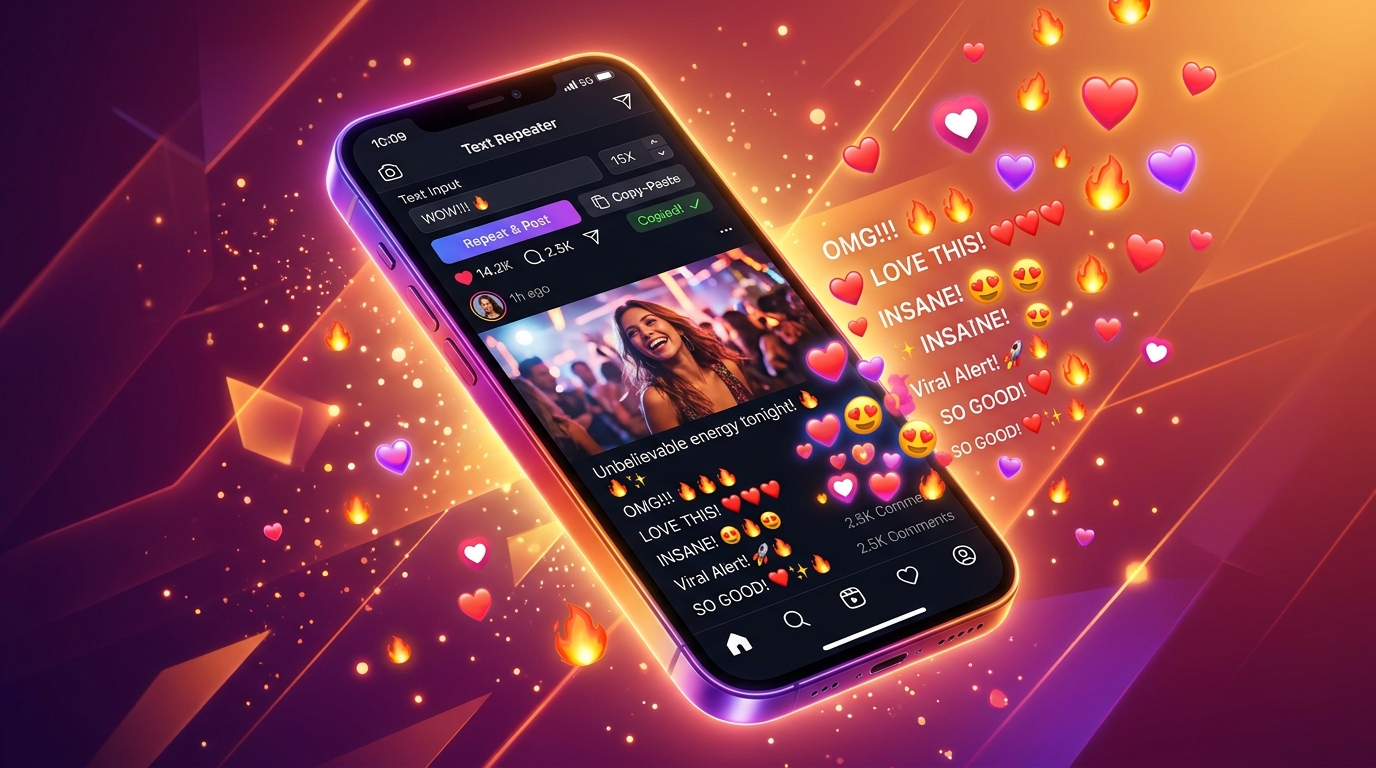
Key Takeaways at a Glance
- Instant Generation: You can repeat any word, phrase, or emoji sequence up to 10,000 times in under a second using our free Text Repeater Online tool.
- Comment Limits: Instagram caps single comments at 1,000 characters. Repeating a single word or emoji between 100 and 150 times is the sweet spot for comment sections.
- Caption Limits: Post captions support up to 2,200 characters (approximately 300 to 400 words), giving you ample space for decorative repeated borders, dividers, and aesthetic quotes.
- Bio Constraints: Instagram bios are strictly limited to 150 characters. Repeating minimalist Unicode symbols or subtle dots provides structured, professional profile spacing.
- Anti-Spam Safety: To prevent temporary “Action Blocked” warnings, avoid posting identical repeated comments across multiple posts within seconds. Always space out interactions naturally.
Table of Contents
- What is an Instagram Text Repeater?
- Instagram Character Limits vs Other Platforms (2026 Breakdown)
- How to Use the Text Repeater for Instagram (Step-by-Step)
- Creative Ways to Use Repeated Text on Instagram
- 10 Ready-to-Copy Instagram Text & Emoji Templates
- Safety First: Avoiding Instagram’s “Action Blocked” Spam Filter
- Text Repeater vs Font Generators: What is the Difference?
- Frequently Asked Questions (FAQ)
- Conclusion & Next Steps
What is an Instagram Text Repeater?
An Instagram Text Repeater is an intuitive, browser-based productivity tool designed to duplicate any custom string of text, symbols, or emojis an exact number of times. Instead of manually tapping “paste” over and over on your smartphone screen, the tool leverages client-side JavaScript algorithms to duplicate strings in a microsecond.
Whether you want to generate:
- “CONGRATS! 🎉” repeated 50 times to celebrate a friend’s graduation post,
- “FIRE 🔥🔥🔥” repeated 100 times to boost engagement on a friend’s new Reel,
- “Sorry ❤️” repeated 500 times in a private direct message, or
- Minimalist line dividers (
┈┈┈┈┈┈┈┈┈┈) to organize your bio,
a modern text generator automates the tedious formatting process with a single click.
Unlike standalone downloadable apps that demand invasive permissions, drain battery life, or bombard your screen with unskippable ads, our free online Text Repeater works directly within your mobile or desktop web browser. It requires no installation, is 100% private, and processes all computations locally on your device.
Instagram Character Limits vs Other Platforms (2026 Breakdown)
Before you generate thousands of repeated words, it is vital to understand the technical boundary conditions enforced by Instagram Help Center and Meta’s backend architecture.
Unlike messaging platforms like WhatsApp—which permit massive single messages up to 65,536 characters (as detailed in our Text Repeater 1,000 Times Guide)—Instagram maintains much stricter constraints to preserve clean layout aesthetics and database performance.
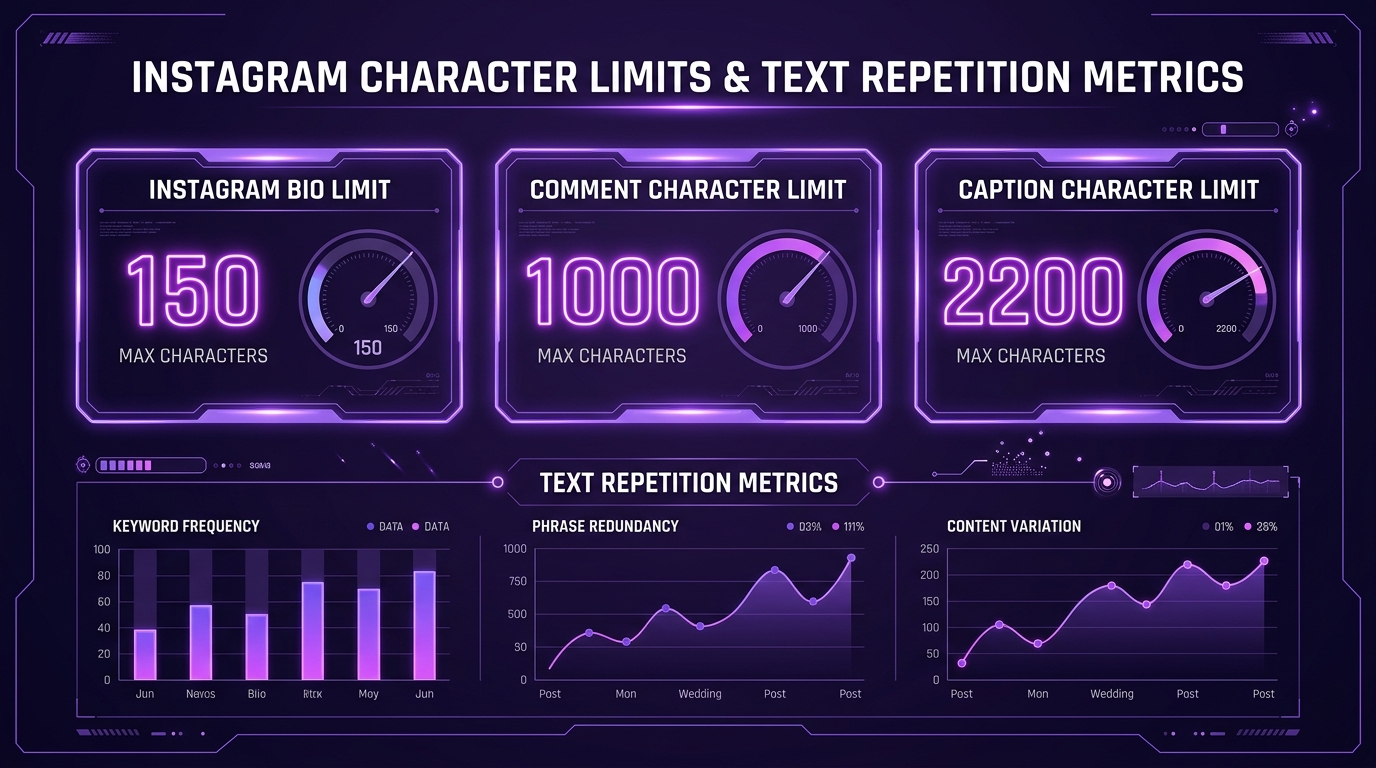
Here is the official 2026 character comparison table for Instagram alongside other leading social platforms:
| Feature / Location | Maximum Character Limit | Maximum Safe Repetitions (Single Word) | Ideal Separator Style | Risk of Truncation |
|---|---|---|---|---|
| Instagram Bio | 150 characters | 10 – 25 repeats | Space ( ) or Dot (·) |
Hard cutoff at 150 chars |
| Instagram Comments | ~1,000 characters | 80 – 150 repeats | New Line (\n) or Space |
Collapses after ~4 lines |
| Instagram Feed Captions | 2,200 characters | 250 – 400 repeats | New Line (\n) |
Truncates with “… more” at 125 chars |
| Instagram Direct Messages (DM) | ~1,000 characters per bubble | 100 – 150 repeats | New Line (\n) |
Splits into multiple messages |
| Instagram Story Text Box | Unlimited input (auto-shrinks) | 50 – 100 repeats | Space ( ) |
Tiny unreadable text if overfilled |
| WhatsApp Messages (Comparison) | 65,536 characters | 5,000 – 10,000 repeats | New Line (\n) |
Truncates with “… Read more” |
| Telegram Messages (Comparison) | 4,096 characters | 500 – 800 repeats | New Line (\n) |
Hard cutoff at 4,096 chars |
How Unicode Affects Instagram Limits
One crucial nuance many users overlook is how text encoding works. The Unicode Consortium assigns standard alphanumeric characters (such as A-Z and 0-9) 1 byte of memory in UTF-8 encoding. However, colorful emojis (such as 🚀, 💖, or 👑) and complex decorative typography consume 3 to 4 bytes per character.
On Instagram, certain input filters measure length based on byte count rather than visible glyphs. If you repeat an emoji sequence like "🔥🔥🔥", each individual flame emoji counts as several bytes. Keeping your total count around 100 to 150 repetitions for comments guarantees your message will never be rejected by Instagram’s servers.
How to Use the Text Repeater for Instagram (Step-by-Step)
Generating repeated text for your Instagram feed, bio, or comments takes less than ten seconds. Here is the exact walkthrough:
┌────────────────────────────────────────────────────────┐
│ 1. Enter Your Text or Emojis ("GOAT 🐐")               │
├────────────────────────────────────────────────────────┤
│ 2. Set Repetition Count (e.g., 50x or 100x)            │
├────────────────────────────────────────────────────────┤
│ 3. Choose Separator (New Line, Space, or None)         │
├────────────────────────────────────────────────────────┤
│ 4. Tap "Generate" ➔ Tap "Copy" ➔ Paste to Instagram!   │
└────────────────────────────────────────────────────────┘
Step 1: Open the Free Online Tool
Navigate directly to Text Repeater Online on your smartphone or computer browser. The application is fully responsive and optimized for mobile screens.
Step 2: Input Your Text or Emojis
In the “Enter Text” field, type or paste the exact phrase, word, or emoji combo you want to duplicate. You can combine English words, regional scripts, numbers, and emojis seamlessly (e.g., "Queen ✨👑" or "Let's Gooo! 🔥").
Step 3: Specify Your Repetition Count
Enter your desired repetition number. You can type any number or click the quick preset buttons (+10, +50, +100, +500).
- For an Instagram comment, we recommend 50 to 100.
- For a caption divider, choose 15 to 30.
- For a private DM apology or birthday greeting, choose 200 to 500.
Step 4: Select Your Separator
The separator dictates how each repeated phrase is joined:
- New Line (
\n): Places each repetition on its own vertical row. Perfect for dramatic scrolling cascades. - Space (
- None: Glues repetitions together with zero spacing, creating continuous visual patterns (e.g.,
════════). - Custom Separator: Insert custom punctuation such as bullets (
•), stars (★), or vertical bars (|).
Step 5: Copy and Paste into Instagram
Click the “Repeat Text” button. Your result renders instantly in the live output preview box. Tap the glowing “Copy” button to copy the entire block to your clipboard. Finally, switch to Instagram, press and hold the input field, and tap “Paste”.
If you are new to using separators and formatting controls, you can also review our beginner walkthrough on how to use our online text repeater.
Creative Ways to Use Repeated Text on Instagram

Repeating text is not just for jokes or pranks; when used creatively, it transforms your profile aesthetic and elevates your comment engagement. Here are four viral ways content creators use text repeaters on Instagram:
1. Viral Reel Comment Hype Walls
When an influencer, musician, or friend drops a high-energy Reel, generic comments like “nice” or “cool” quickly get lost in the sea of thousands of responses. A bold, synchronized emoji cascade—such as 80 fire emojis or a repeated chant—instantly captures the creator’s attention and frequently earns top pinned-comment status.
2. Aesthetic Profile Bio Dividers
Creating clean visual hierarchy inside a 150-character bio is notoriously tricky. By repeating subtle Unicode symbols (such as —, ·, ✧, or ┊), you can craft neat horizontal rules that separate your job title, location, and call-to-action link without consuming valuable character space.
3. Carousel & Reel Caption Spacing
Instagram’s native caption editor often collapses whitespace or removes line breaks when you publish a post. By repeating invisible blank characters or subtle geometric dots (such as .), you can construct clean, breathable paragraphs that make long-form educational carousel posts easy to read. For detailed mechanics on using invisible characters, check out our guide on how to send blank invisible messages.
4. Dramatic Apology & Celebration DMs
Need to make amends after missing an important date, or want to send an overwhelming burst of love on your partner’s birthday? Pasting an “I’m so sorry ❤️” or “Happy Birthday 🎂🎉” wall of 300 repetitions in Instagram Direct Messages shows massive dramatic flair and leaves an unforgettable impression.
10 Ready-to-Copy Instagram Text & Emoji Templates
To help you get started right away, here are ten proven, platform-tested templates. You can paste these directly into our Text Repeater tool to generate the exact multiplier you need:
Template 1: The Fire Reel Hype Cascade
- Input:
FIRE CONTENT! 🔥🔥🔥 - Suggested Count:
40 - Separator:
New Line - Best For: Pinned comments on trending Reels and gym transformation videos.
Template 2: The Heart Avalanche Apology
- Input:
I am truly sorry ❤️🥺 - Suggested Count:
75 - Separator:
New Line - Best For: Sweet Instagram DM apologies that make your recipient smile.
Template 3: The Golden Star Bio Divider
- Input:
✧ - Suggested Count:
18 - Separator:
None - Output Preview:
✧✧✧✧✧✧✧✧✧✧✧✧✧✧✧✧✧✧ - Best For: Framing your profile headline or splitting bio sections neatly.
Template 4: The Birthday Confetti Bomb
- Input:
HAPPY BIRTHDAY! 🥳🎉🎂🎈 - Suggested Count:
30 - Separator:
New Line - Best For: Birthday shoutouts on friends’ public posts or DM chats.
Template 5: The Minimalist Dashed Border
- Input:
┈ - Suggested Count:
28 - Separator:
None - Output Preview:
┈┈┈┈┈┈┈┈┈┈┈┈┈┈┈┈┈┈┈┈┈┈┈┈┈┈┈┈ - Best For: Separating caption copy from your hashtag block in feed posts.
Template 6: The “WINNER” Sports & Gaming Cheer
- Input:
W W W 🏆 - Suggested Count:
50 - Separator:
Space - Best For: Cheering on esports teams, athletic achievements, and tournament victories.
Template 7: The “ICONIC” Fashion Praise
- Input:
OBSESSED WITH THIS FIT! ✨👠 - Suggested Count:
35 - Separator:
New Line - Best For: OOTD (Outfit of the Day) fashion shoots and aesthetic aesthetic portraits.
Template 8: The Sarcastic Question Mark Spammer
- Input:
WHY??? 💀 - Suggested Count:
60 - Separator:
Space - Best For: Reacting to hilarious fails, baffling memes, and viral plot twists.
Template 9: The Zen Floral Separator
- Input:
❀ - Suggested Count:
10 - Separator:
None - Output Preview:
❀ ❀ ❀ ❀ ❀ ❀ ❀ ❀ ❀ ❀ - Best For: Lifestyle, wellness, yoga, and travel creators’ bio aesthetics.
Template 10: The Ultimate “10/10” Rating
- Input:
10/10 MASTERPIECE ⭐⭐⭐⭐⭐ - Suggested Count:
25 - Separator:
New Line - Best For: Movie reviews, photography showcases, and food recipe posts.
Safety First: Avoiding Instagram’s “Action Blocked” Spam Filter
While repeating text is fun, creative, and engaging, it is crucial to understand Instagram’s anti-spam security algorithms. Meta employs advanced machine learning models (detailed under the Meta Community Standards) designed to identify automated bots, click-farms, and malicious spam scripts.

If you violate standard behavioral thresholds, Instagram may temporarily restrict your ability to comment or like posts, presenting the dreaded “Action Blocked” pop-up.
Essential Rules for Safe Instagram Text Repeating
- Never Flood Multiple Posts in Seconds: Pasting a 100x repeated comment on ten different accounts within sixty seconds is the #1 trigger for algorithmic bot detection. Leave a natural cooldown of 1 to 2 minutes between comments.
- Respect the 1,000-Character Threshold: If you attempt to submit a comment exceeding 1,000 characters, Instagram will either silently truncate the text or trigger an error message saying “Failed to post comment”. Keep your repetition count between 50 and 150.
- Vary Your Content: Avoid pasting the exact identical string repeatedly across different days. Add small custom emojis or words to ensure each comment remains unique.
- Use Established Accounts: Brand new Instagram accounts (less than 30 days old) face much tighter rate limits than established accounts with verified email addresses and active follower histories.
- Never Use Unofficial Third-Party Auto-Posting Bots: Safe text repeating involves generating text in your browser and pasting it manually yourself. Never enter your Instagram login credentials into automated spam-bot software.
Text Repeater vs Font Generators: What is the Difference?
Many users confuse a Text Repeater with an Instagram Font Generator. While both enhance your typography, they serve fundamentally different purposes:
┌───────────────────────────────┬───────────────────────────────┐
│     Text Repeater Tool        │     Fancy Font Generator      │
├───────────────────────────────┼───────────────────────────────┤
│ • Multiplies words & emojis   │ • Changes typeface / styling  │
│ • Creates patterns & cascades │ • Generates Gothic, Cursive   │
│ • Custom separators (newlines)│ • Swaps Unicode characters    │
│ • Fast, volume-based impact   │ • Stylistic, aesthetic intent │
└───────────────────────────────┴───────────────────────────────┘
The good news? You can easily combine both tools! Simply run your phrase through a stylish Unicode font converter, copy the resulting cursive or bold text, paste it into our Text Repeater tool, and duplicate it 50 times for a truly one-of-a-kind Instagram comment.
Frequently Asked Questions (FAQ)
Can I repeat text 1,000 times on Instagram?
You can safely send 1,000 repeated words across multiple Direct Messages or in post captions, but not within a single Instagram comment. Instagram enforces a strict cap of approximately 1,000 characters per comment. For single comments, we recommend a repetition multiplier between 50 and 120 times.
Will using repeated text get my Instagram account banned?
No, using repeated text or emojis will not get your account banned when done casually and ethically. However, pasting the same repeated block hundreds of times across stranger’s posts in a short timeframe can trigger a temporary 24-hour “Action Block” for spamming. Always post naturally and respect community standards.
Does the Instagram Text Repeater work on both iPhone and Android?
Yes! Our Text Repeater Online is a 100% responsive, web-based tool. It operates smoothly in Safari, Google Chrome, Firefox, Samsung Internet, and Brave across iOS, iPadOS, Android, Windows, and macOS devices.
Can I repeat emojis like ❤️, 🔥, and 👑 for Instagram comments?
Absolutely. The tool fully supports the complete Unicode emoji library, including compound emojis, skin-tone modifiers, and decorative symbols. You can repeat single emojis or multi-emoji sequences effortlessly.
How do I make repeated text appear on separate lines on Instagram?
In our Text Repeater tool, select the “New Line” option under the Separator settings before generating your text. When you paste the result into Instagram, each repetition will sit on its own dedicated row, creating an elegant vertical cascade.
What is the maximum character limit for an Instagram Bio?
Instagram bios have a rigid limit of 150 characters. If you use a text repeater to create decorative dividers or borders for your bio, keep your repetition count between 15 and 25 characters to ensure it fits comfortably within the allowed quota.
Why does my Instagram comment say “Failed to Post”?
If Instagram refuses to publish your repeated comment, it is almost always due to one of two reasons: either your total character count exceeds the 1,000-character ceiling, or you have posted too many comments too quickly and your IP or account has been placed on a short rate-limit cooldown. Reduce the repetition count to 50 and try again after a few minutes.
Is this Text Repeater tool completely free to use?
Yes, our online text repeater is 100% free with unlimited usage. You do not need to register an account, download any third-party software, or pay any subscription fees.
Conclusion & Next Steps
Whether you want to hype up your best friend’s viral Reel, design an aesthetic bio border that stands out from the crowd, or surprise someone in DMs with a heartfelt apology cascade, an Instagram Text Repeater gives you instant creative superpowers without the finger cramps.
By keeping platform character limits in mind—150 characters for bios, 1,000 characters for comments, and 2,200 characters for captions—you can craft visually captivating text patterns while keeping your account completely safe from algorithmic flags.
Ready to test your first creative text cascade? Head over to our free Online Text Repeater right now, type your favorite phrase, set your multiplier, and copy your masterpiece in a single tap!
Looking for more creative text tricks? Explore our guides on 10 Fun WhatsApp Text Repeater Tricks, learn how to send blank invisible messages, or discover what happens when you repeat text 10,000 times.
Want to repeat text right now?
Use our fast online tool to duplicate any word or emoji up to 50,000 times with instant 1-tap copy!
More Helpful Guides & Articles
Can Text Repeater Repeat Text Up to 10,000 Times? Performance, Limits & Guide
Can an online text repeater duplicate text 10,000 times without freezing your browser? Discover performance benchmarks, memory limits, and WhatsApp paste rules.
Discord Text Repeater: How to Repeat Messages, ASCII Art & Hype Chants (Gaming & Server Guide)
Master the Discord Text Repeater: duplicate hype chants, ASCII announcement banners, and emojis within Discord's 2,000 and 4,000 character limits safely.