How to Use Text Repeater: Complete Step-by-Step Guide for WhatsApp, Instagram & Web
Master how to use an online text repeater to duplicate words, emojis, and phrases up to 50,000 times in seconds. Complete guide with formatting rules, copy tips, and FAQs.
Have you ever found yourself manually pressing Ctrl + V or tapping “Paste” fifty times in a row just to send a repetitive text message? Whether you want to send a heartfelt wall of love emojis to your partner, deliver an emphatic apology message, create artistic text borders, or perform software stress testing on an input field, manually duplicating text is slow, tedious, and physically exhausting on mobile keyboards.
Fortunately, modern browser-based text repeaters eliminate this friction entirely. With our free Text Repeater online tool, you can generate anywhere from 5 to 50,000 repetitions of any phrase, word, or emoji in less than one second—completely free, without downloading third-party apps or registering an account.
In this in-depth guide, we will walk you through how to use a text repeater from start to finish. You will learn the exact step-by-step workflow, how to configure advanced line formatting and custom separators, pro-tips for copying directly into WhatsApp and Instagram without lagging your device, and common pitfalls to avoid.
What is an Online Text Repeater and How Does It Work?
A text repeater (also known as a text multiplier, text duplicator, or string repeater) is a web utility engineered to take any input string—such as a word, paragraph, emoji, or symbol—and duplicate it a specified number of times according to user-defined formatting rules.
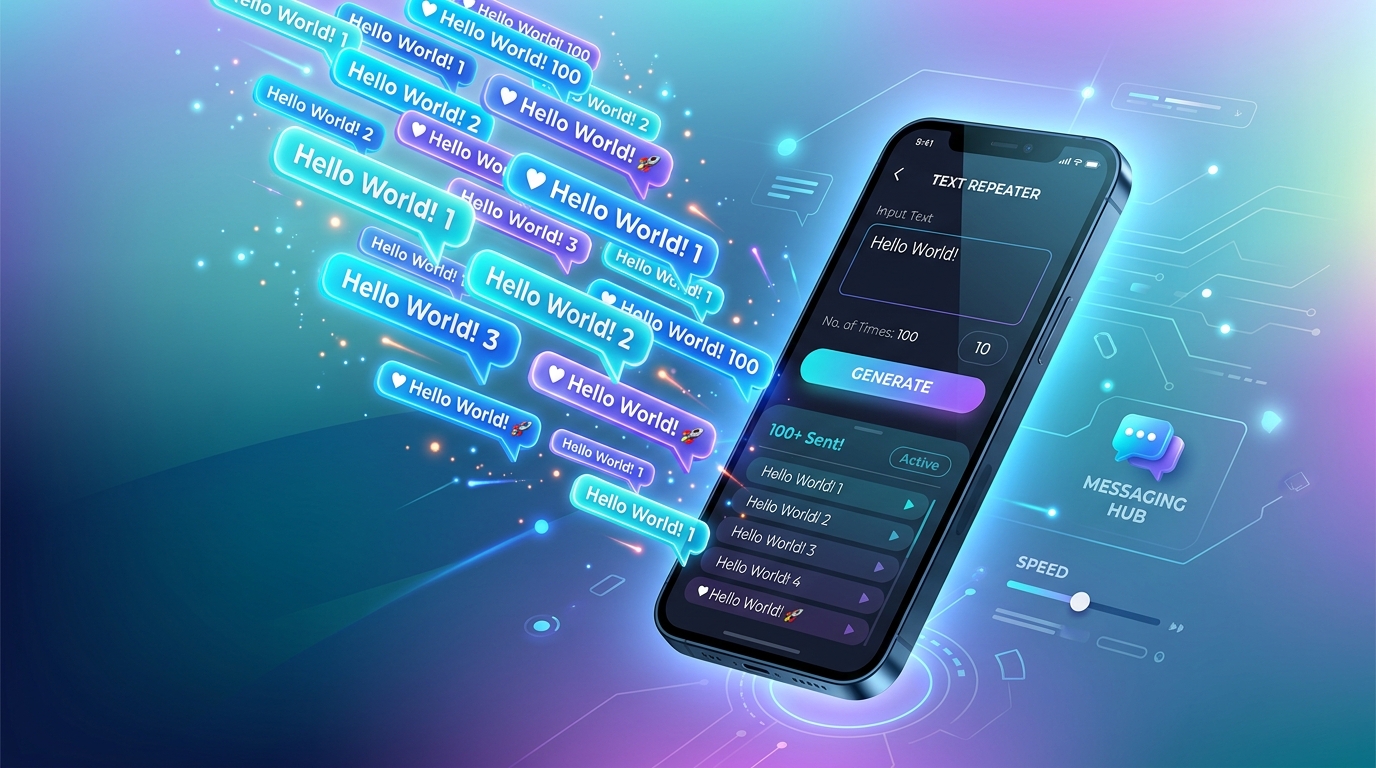
Under the Hood: Client-Side Processing
Unlike outdated web tools that send your keystrokes to a remote web server over HTTP, high-performance tools like TextRepeaterOnline.in process everything directly inside your browser engine using modern JavaScript:
- Local Memory Allocation: The script takes your string and repeats it locally in your device’s RAM using optimized array joining or native string repeat operations.
- Zero Latency: Because no network request is sent across the internet, generating 1,000 or even 10,000 repetitions happens virtually instantaneously (in less than 2 milliseconds).
- Total Privacy & Security: Your personal messages, confidential test payloads, or sensitive passwords are never logged, tracked, or transmitted to external databases.
- Offline Capability: Once loaded, client-side tools continue to work seamlessly even if your internet connection disconnects.
Step-by-Step: How to Use Text Repeater
Using our online text repeater tool is designed to be effortless for beginners while packing robust customization features for advanced users. Follow these five straightforward steps:
Step 1: Enter Your Source Text or Emojis
Navigate to the Text Repeater Tool on your mobile phone, tablet, or desktop browser. Locate the primary input box labeled “Text to repeat”.
Here, you can enter any text content you desire:
- Single Words:
Congratulations,Sorry,YES,Bingo - Short Sentences:
Happy Birthday to the best friend ever! 🎉 - Emojis & Special Symbols:
❤️🔥🚀✨,(╯°□°)╯︵ ┻━┻,★ ★ ★ - Invisible / Blank Characters: You can even paste blank Unicode characters to create ghost text blocks (learn more in our guide on how to send blank messages on WhatsApp).
Pro-Tip: You can enter multiple sentences or entire paragraphs. The tool respects whatever characters you enter, including spaces and punctuation marks.
Step 2: Choose Your Desired Repetition Count
Next, decide how many times you want the text to duplicate. You have two convenient options:
- Quick Presets: Tap one of the one-click preset buttons: 10, 50, 100, 500, or 1000.
- Custom Count Input: Click into the count field and type any integer from
1all the way up to50,000.
If you are curious whether massive repetitions can freeze your device or whether browsers can handle 10,000 repeats, be sure to read our detailed technical analysis on can text repeater repeat text up to 10,000 times?.
Step 3: Configure Line Formatting and Separators
How your repeated text is visually organized makes all the difference when pasting into social media chats or documents. Modern text repeaters offer several distinct formatting modes:
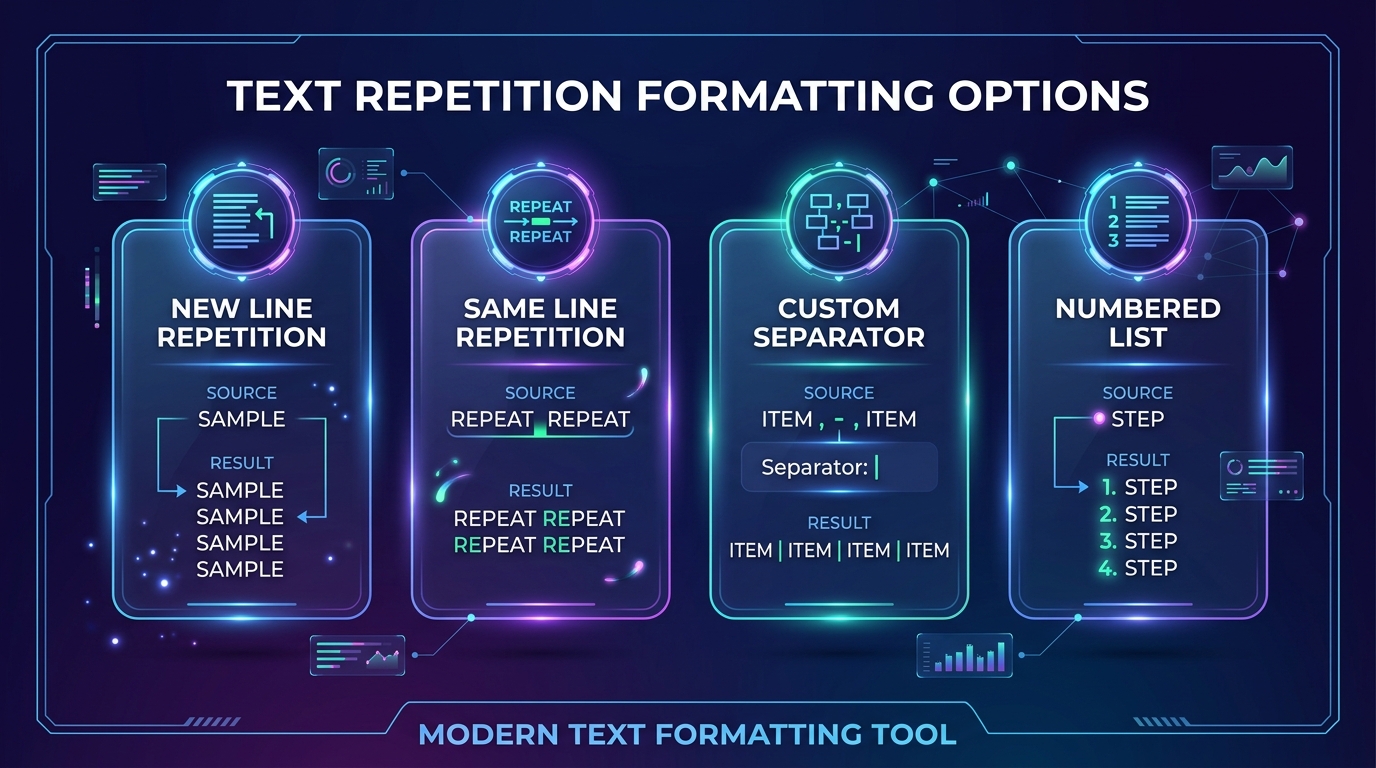
Let’s examine how each layout option works:
1. New Line Repetition (\n)
Every repeated instance is placed on its own fresh line. This is ideal when you want to create a dramatic, scrolling vertical message wall in WhatsApp or Telegram.
I Love You ❤️
I Love You ❤️
I Love You ❤️
2. Same Line Repetition (Continuous Block)
All repetitions are placed side-by-side on a single line, separated by a standard space. This creates dense, colorful blocks of emojis or repetitive chants:
🔥 WOW 🔥 WOW 🔥 WOW 🔥 WOW 🔥 WOW 🔥 WOW3. Numbered List Formatting
The tool automatically prepends an incremental digit (1. , 2. , 3. ) before each repetition. This is perfect for countdowns, checklist pranks, or QA test cases:
1. Please check the update!
2. Please check the update!
3. Please check the update!
4. Custom Separator
Want to separate repetitions with a comma, a hyphen (-), a pipe (|), or an emoji? Enter your custom separator into the separator field. For example, using | produces:
Item A | Item A | Item A | Item AStep 4: Add Optional Prefixes and Suffixes
Advanced text repeaters allow you to prepend a Prefix (text attached to the very beginning of the entire block) and an Suffix (text attached to the very end).
For example:
- Prefix:
🚨 ATTENTION TEAM 🚨\n - Repeated Text:
Meeting is at 3:00 PM Sharp! - Suffix:
\n⚠️ Don't be late!
This feature transforms repetitive spam into well-structured, eye-catching announcements for group chats and community channels.
Step 5: Click “Repeat Text” and Copy or Share
Once your settings are configured:
- Click or tap the bold “Repeat Text” button.
- In less than a millisecond, your generated text appears in the interactive preview container.
- Check the real-time character counter and word counter beneath the preview box to ensure your message fits the limits of your target platform.
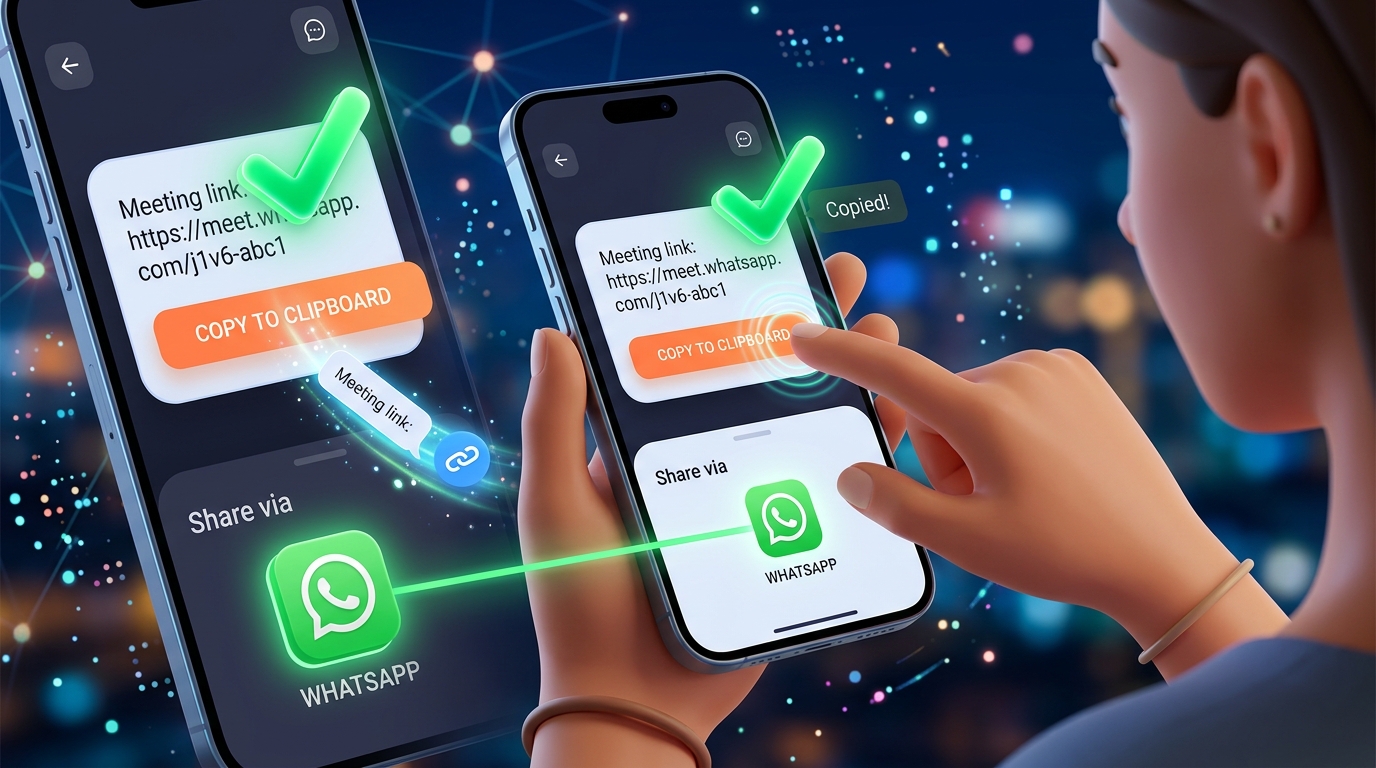
Now you have two fast distribution options:
- Copy Button: Copies the entire output directly to your device clipboard via the W3C asynchronous Clipboard API. A confirmation toast will confirm that the text has been copied.
- WhatsApp Share Button: Directly opens the WhatsApp official app with the generated text pre-loaded in your message draft, allowing you to pick a contact or group immediately.
- Download as .TXT: For massive batches (e.g., 5,000 to 50,000 words), use the Download .txt button to save the text straight to your device storage without overwhelming your clipboard RAM.
Text Repeater vs Manual Typing vs Mobile Macros
Why do millions of users rely on web-based text repeaters instead of typing or using mobile keyboard shortcuts? Here is a clear comparison breakdown:
| Feature / Criteria | Online Text Repeater | Manual Copy-Paste | Mobile Keyboard Macro |
|---|---|---|---|
| Generation Speed | Under 1 second | 5 to 20 minutes | 1 to 2 minutes |
| Physical Effort | 2 clicks | Hundreds of repetitive taps | Medium setup required |
| Formatting Flexibility | New line, same line, custom delimiters, numbered lists | Manual formatting only | Basic spacing only |
| Max Repetition Scale | Up to 50,000 repetitions | Typically limited to ~50 | Around 100 before lag |
| Device Strain | Zero strain (runs in RAM) | High finger fatigue | Moderate keyboard lag |
| App Installation | None (100% web browser) | None | Requires 3rd-party utility |
| Safety & Privacy | Client-side, 0 data saved | Local | Keyboard log risk with unknown apps |
Creative and Practical Real-World Use Cases
While many people first discover text repeaters for playful pranks with friends, their real-world utility spans creative marketing, software engineering, and community management.

1. Fun Social Media Engagement & Friendly Pranks
- Apologies that Stand Out: Send
"I'm truly sorry 🙏"repeated 500 times on separate lines to make a lighthearted, dramatic apology. For more inspiration, check out our curated guide on 10 fun WhatsApp text repeater tricks. - Celebration Walls: Create colorful emoji tapestries for birthdays, New Year wishes, Diwali, or Eid (
🎂🎉✨x 200). - Spamming Group Chats with Memes: Waking up dormant group chats with numbered countdowns (
Wake up bro! 👀x 50).
2. Software Development & Quality Assurance (QA) Testing
Web developers and software testers constantly require large text payloads to verify how applications behave under stress:
- Input Field Boundary Checks: Testing if a comment box or form textarea crashes when receiving 5,000 words.
- Database Truncation Verification: Checking whether a MySQL
VARCHAR(255)orTEXTcolumn properly truncates or throws errors when handling oversized strings. - CSS UI Overflow Testing: Verifying whether long uninterrupted strings without spaces break website layouts or trigger proper CSS
word-break: break-all;behavior.
3. Social Media Caption Styling & Instagram Bio Breaks
Instagram frequently collapses repeated blank spaces in profile bios. By using a text repeater with custom separator patterns or invisible Unicode characters, content creators can structure clean aesthetic line breaks.
4. Gaming Clan & Discord Announcement Banners
Esports teams and Discord community managers use text repeaters to generate border frames for official rules and tournament announcements:
════════════════════════════════════════
🏆 TOURNAMENT REGISTRATION OPEN NOW 🏆
════════════════════════════════════════
Best Practices and Platform Limitations
To ensure your repeated messages send smoothly without freezing your messaging app or triggering spam filters, keep these platform guidelines in mind:
1. Understand Platform Message Ceilings
Every messaging app enforces unique character limits:
- WhatsApp: Supports up to approximately 65,536 characters per single message (learn full details in our guide on how do I type 1000 words in WhatsApp?). When messages exceed a few hundred characters, WhatsApp automatically truncates them with a blue “… Read more” link.
- Twitter / X: Capped at 280 characters for standard users (or 25,000 characters for X Premium subscribers).
- Instagram Direct Messages: Capped at approximately 1,000 characters per individual DM.
- Discord: Capped at 2,000 characters for standard members (4,000 for Nitro subscribers).
2. Avoid Freezing Older Mobile Devices
Generating 10,000 words in a web browser is easy, but pasting a 500,000-character wall of text into a budget Android phone’s input field can cause keyboard lag. If you are generating more than 2,000 repetitions, use our Download .txt option or generate text in batches of 500 to 1,000 repeats.
3. Practice Responsible Messaging
Always use text repeaters in good humor with friends and family who appreciate the joke. Avoid sending repeated text blasts to unfamiliar phone numbers, commercial support channels, or public discussion boards where repetitive content may violate platform terms of service.
Frequently Asked Questions (FAQ)
Is TextRepeaterOnline.in completely free to use?
Yes, 100% free. There are no subscriptions, hidden fees, paywalls, or daily usage caps. You can generate as many repetitions as you need, whenever you want.
Do I need to install any mobile app or browser extension?
No installation is needed. Our text repeater works directly inside any web browser (Google Chrome, Apple Safari, Mozilla Firefox, Microsoft Edge, Brave, Opera) on smartphones, tablets, laptops, and desktop computers.
Does using a text repeater send my data to external servers?
No. TextRepeaterOnline.in operates entirely client-side using JavaScript. Your text input, repeated output, and clipboard operations remain strictly inside your device's browser memory and are never uploaded to any server or database.
What is the maximum number of times I can repeat text?
Our tool supports repetitions up to 50,000 times in a single generation. For counts above 5,000, we recommend downloading the result as a .txt file rather than copying to clipboard to ensure optimal device performance.
Can I repeat emojis, numbers, and special symbols?
Yes. The tool offers complete Unicode UTF-8 and UTF-16 compatibility. You can repeat emojis, punctuation, mathematical symbols, Asian characters, Arabic script, or ASCII art without corruption or formatting loss.
Why did my WhatsApp message show a "Read More" link?
WhatsApp automatically truncates messages longer than roughly 500 to 800 characters to prevent endless chat bubble scrolling. The recipient simply taps "Read more" to expand the entire repeated text wall.
Start Repeating Text Now!
Ready to save hours of manual typing? Try the free Text Repeater Online Tool right now. Select your text, set your count, and copy your custom message with one single click!
Want to repeat text right now?
Use our fast online tool to duplicate any word or emoji up to 50,000 times with instant 1-tap copy!
More Helpful Guides & Articles
Can Text Repeater Repeat Text Up to 10,000 Times? Performance, Limits & Guide
Can an online text repeater duplicate text 10,000 times without freezing your browser? Discover performance benchmarks, memory limits, and WhatsApp paste rules.
Discord Text Repeater: How to Repeat Messages, ASCII Art & Hype Chants (Gaming & Server Guide)
Master the Discord Text Repeater: duplicate hype chants, ASCII announcement banners, and emojis within Discord's 2,000 and 4,000 character limits safely.