How to Send Blank or Invisible Messages on WhatsApp & Instagram
Learn how to send completely blank and invisible messages on WhatsApp & Instagram. Copy Unicode empty characters, bypass spacebar limits, and run fun chat pranks.
Have you ever opened a conversation on WhatsApp or an Instagram DM only to find a completely blank, empty message bubble staring back at you? No text, no emojis, no voice note—just clean, baffling whitespace.
If you have ever attempted to recreate this by repeatedly pressing the Spacebar on your phone’s keyboard, you know what happens: the green “Send” arrow stays disabled or turns into a voice note microphone. Both WhatsApp and Instagram actively sanitize standard whitespace characters (U+0020), preventing users from sending empty messages.
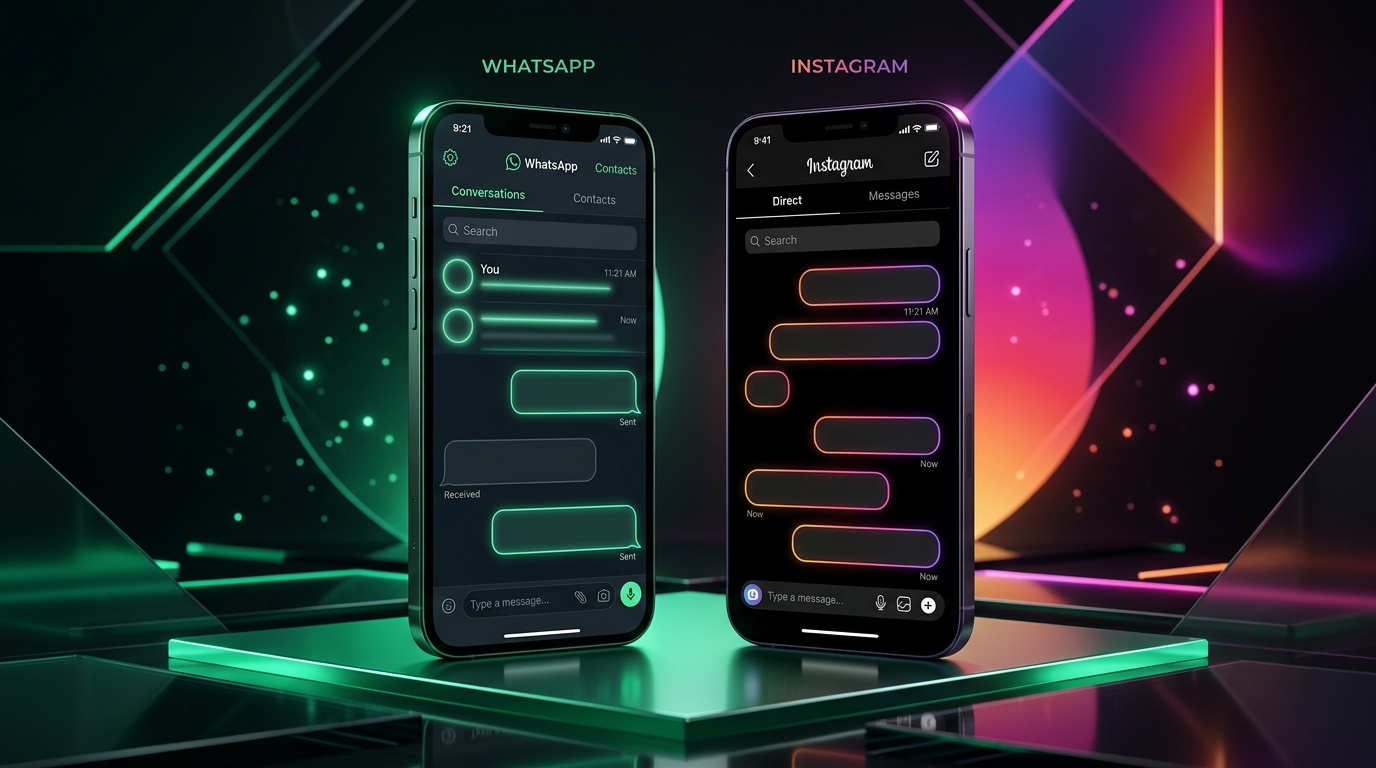
So how are people sending empty messages? The secret lies in Unicode Invisible Characters—special typographic codepoints that systems recognize as legitimate text characters, yet render with zero visible ink.
In this definitive guide, you will learn exactly how invisible characters work, how to copy and send them on WhatsApp and Instagram (both mobile and desktop), how to build an endless blank scroll prank using our free Text Repeater Online, and how to use empty characters for aesthetic profile bios and statuses.
Quick Navigation: Sending Blank Messages
- Why Does WhatsApp Block Standard Spaces?
- The Science of Unicode Invisible Characters
- Quick Copy Box: Ready-to-Use Invisible Characters
- Method 1: How to Send Blank Messages on WhatsApp Mobile
- Method 2: How to Send Blank Messages on WhatsApp Web & Desktop
- Method 3: How to Send Blank Messages on Instagram DMs & Comments
- Method 4: The Infinite Blank Wall Prank (Text Repeater Method)
- Creative Use Cases: Blank Bio, Status & Anonymous Names
- Safety, Anti-Ban & Compatibility Questions
- Frequently Asked Questions (FAQ)
Why Does WhatsApp Block Standard Spaces?
Every messaging platform runs input validation routines before dispatching text across its servers. In modern programming, this is known as string trimming:
// Simplified representation of message validation
const userMessage = inputField.value;
if (userMessage.trim().length === 0) {
  sendButton.disabled = true; // Prevents accidental empty messages
}
Standard whitespace—generated by the Spacebar (U+0020), Tab key (U+0009), or standard carriage return (U+000A)—is stripped away by this trimmer. If the trimmed result contains zero characters, the application considers the message empty and disables the submit trigger.
To bypass this check without violating application protocols, we need a Unicode character that passes the trimmer test while producing zero visible glyphs on screen.
The Science of Unicode Invisible Characters
The international Unicode Consortium defines over 149,000 distinct characters across global writing systems, mathematical notations, and historical scripts. Within this massive catalog exist several specialized characters designed for typesetting, braille printing, and language joining.
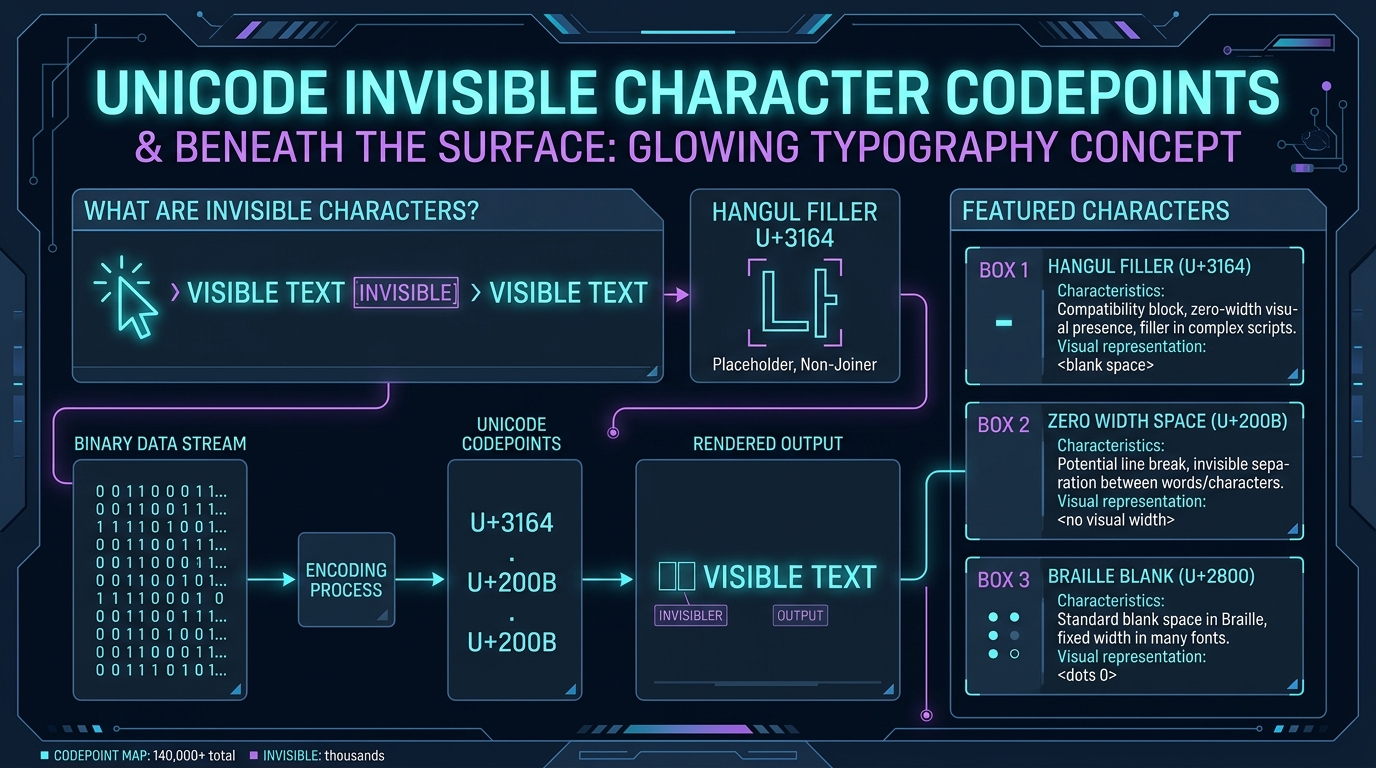
Here are the primary characters used for blank messaging:
1. Hangul Filler (U+3164) — The Gold Standard
Originating from the Korean Hangul Compatibility Jamo block (see Unicode U+3130 Specification), the Hangul Filler is intended to represent missing vowels or consonants in archaic Korean typography. Because it is categorized by Unicode as a letter/syllable rather than punctuation or whitespace, WhatsApp and Instagram do not strip it during trimming. It renders as a completely transparent full-width box!
2. Braille Pattern Blank (U+2800)
Designed for Braille tactile readers to indicate an unpunched 6-dot cell, U+2800 acts like an empty fixed-width placeholder. Many social networks treat Braille patterns as graphic symbols, allowing you to post empty status lines and bios.
3. Zero-Width Space / ZWSP (U+200B)
As the name implies, this character has zero physical width. While helpful for breaking long URLs or formatting text boundaries, single ZWSP characters can sometimes be collapsed by mobile chat views unless repeated or paired with another non-printing code.
Invisible Characters Comparison Matrix
| Character Name | Unicode Codepoint | UTF-8 Bytes | WhatsApp Mobile | WhatsApp Web | Instagram DMs | Instagram Bio |
|---|---|---|---|---|---|---|
| Hangul Filler | U+3164 |
\xE3\x85\xA4 |
100% Works | 100% Works | 100% Works | 100% Works |
| Braille Blank | U+2800 |
\xE2\xA0\x80 |
100% Works | 100% Works | 100% Works | Works |
| Zero-Width Space | U+200B |
\xE2\x80\x8B |
Partial | Works | Partial | Truncated |
| En Quad / Em Quad | U+2000 / U+2001 |
\xE2\x80\x80 |
Sometimes Trimmed | Works | Trimmed | Trimmed |
Quick Copy Box: Ready-to-Use Invisible Characters
To save you time digging into Unicode tables or installing third-party keyboards, here is the verified Hangul Filler invisible character ready to copy.
Select and copy the invisible space contained between the brackets below:
[ㅤ](Note: Click and drag your cursor between the two square brackets [ and ], then press Ctrl+C on Windows, Cmd+C on Mac, or tap Copy on your smartphone. Do not copy the brackets themselves).
Method 1: How to Send Blank Messages on WhatsApp Mobile
Sending an invisible message on Android or iPhone takes less than 10 seconds:
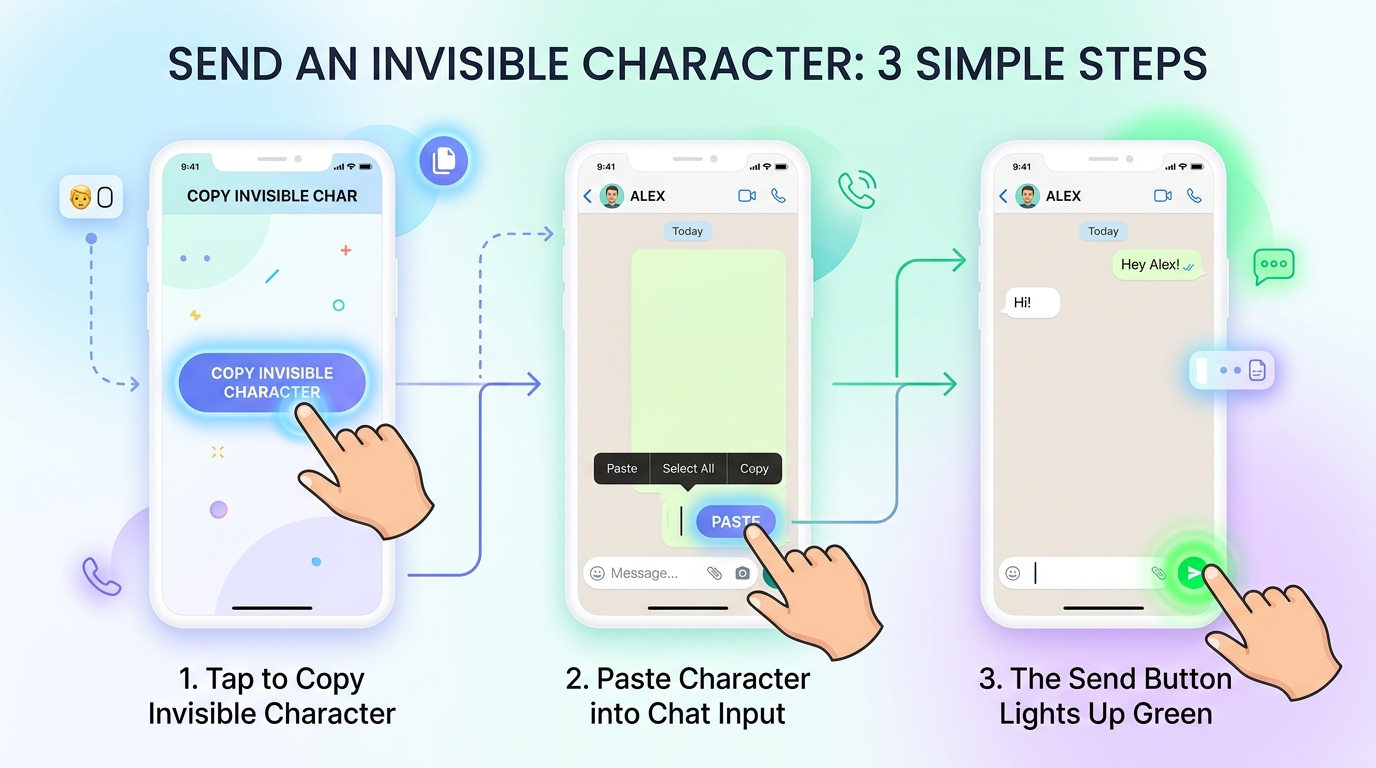
- Copy the Invisible Character: Copy the blank character from our Quick Copy Box above, or generate one on TextRepeaterOnline.in.
- Open WhatsApp: Navigate to any 1-on-1 chat or group conversation.
- Tap and Paste: Long-press inside the “Message” input field and tap Paste.
- Notice the Send Arrow: Even though the input area appears completely blank, the voice note microphone icon instantly transforms into the green paper plane Send button!
- Tap Send: Tap the button, and a clean, empty message bubble is delivered to your recipient!
Method 2: How to Send Blank Messages on WhatsApp Web & Desktop
If you use WhatsApp on your PC or Mac via web.whatsapp.com or the desktop app, you have two simple options:
Option A: The Clipboard Paste Method
- Copy the invisible character (
ㅤ) from this webpage. - Switch to your WhatsApp Web tab.
- Click into the message text bar and press Ctrl + V (Windows) or Cmd + V (Mac).
- Hit Enter to send.
Option B: Windows Alt Code Method
If your keyboard has a dedicated numeric keypad (NumPad):
- Click the WhatsApp message input box.
- Hold down the Alt key.
- On the NumPad, type
0160(Non-breaking space) or8194. - Release the Alt key and press Enter.
Method 3: How to Send Blank Messages on Instagram DMs & Comments
Instagram enforces strict comment and DM filtering, but the Hangul Filler (U+3164) slips straight through their filters:
-
For Direct Messages (DMs):
- Open your Instagram Direct inbox.
- Select your friend’s chat thread.
- Paste the copied invisible character into the “Message…” bar.
- The purple/blue Send button will activate immediately. Tap it to send an empty DM bubble.
-
For Blank Instagram Comments:
- Go to any public post where comments are enabled.
- Tap the comment bubble.
- Paste the invisible character and tap Post.
- Your comment will appear with your username followed by a completely blank comment body!
For more ideas on engaging social media tricks, explore our companion guide on 10 Fun WhatsApp Text Repeater Tricks and Pranks.
Method 4: The Infinite Blank Wall Prank (Text Repeater Method)
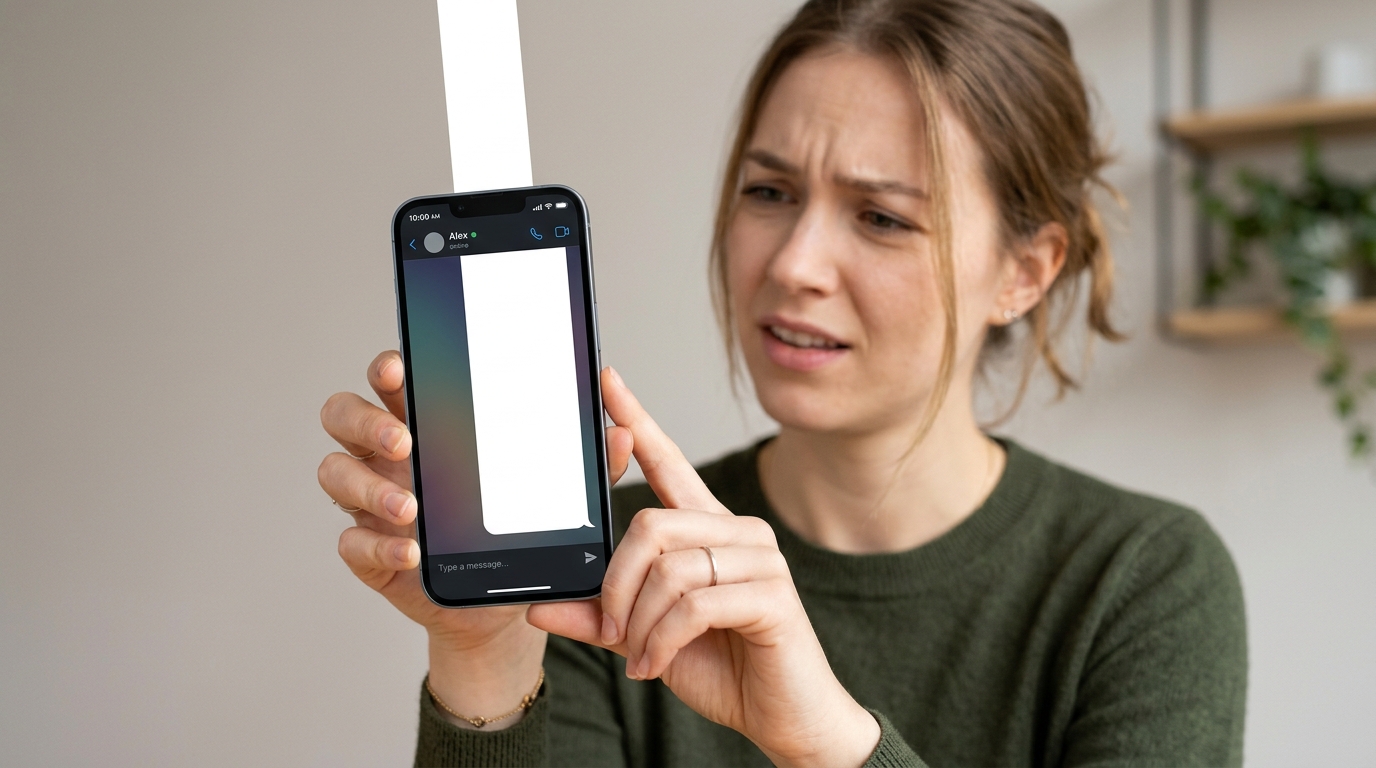
Sending a single blank bubble is fun, but what if you send a message that forces your friend to swipe endlessly through a bottomless void?
This is known as the Infinite Blank Wall Prank. When the recipient opens the message, their chat interface is consumed by an enormous blank bubble that requires 10 to 15 full-screen swipes just to reach the bottom!
Step-by-Step Instructions:
- Open the free Text Repeater Online tool on your phone or computer.
- In the Text to Repeat box, paste the invisible character (
ㅤ). - Set the Repetition Count to
500or1,000. - Choose New Line as your separator.
- Tap Repeat Text to generate the block in milliseconds.
- Click Copy to Clipboard.
- Open WhatsApp or Instagram and paste the repeated invisible text.
Because thousands of empty lines are submitted, WhatsApp will render a massive vertical bubble, often appending its blue “… Read more” button! When the recipient taps “Read more”, they are pulled into an endless white void.
If you are curious about performance limits and how messaging apps handle massive text loads, check out our in-depth research on can text repeater repeat text 10,000 times.
Creative Use Cases: Blank Bio, Status & Anonymous Names
Invisible characters are not just for pranks—they solve numerous aesthetic and formatting problems across social media apps:
1. Aesthetic Line Breaks in Instagram Bios
Instagram usually collapses multiple return keys, bunching your bio lines together. By placing an invisible character on each blank line between your text, Instagram preserves clean, elegant spacing in your profile.
2. Completely Blank WhatsApp Status
Want to post a mysterious status update that shows zero text?
- Open WhatsApp > Status tab > Tap the pencil icon to create a text status.
- Paste the invisible character into the status editor.
- Change the background color to solid black or your favorite pastel hue.
- Tap publish. Your contacts will see a minimalist, empty color card!
3. Invisible WhatsApp Profile Name in Groups
When joining large public WhatsApp community groups, your profile name is displayed to anyone who doesn’t have your number saved.
- Open WhatsApp > Settings > Tap your Profile Photo.
- Tap the Name edit icon.
- Delete your existing name, paste the invisible character (
ㅤ), and tap Save. - Now, other members in group chats will see only a blank space where your name would normally appear!
4. Invisible Folder Names on Windows and Android
On Windows desktop or Android home screens, you can rename app folders using the invisible character to keep folder icons looking sleek and uncluttered without text labels underneath.
Safety, Anti-Ban & Compatibility Questions
Will sending blank messages get me banned?
No. Invisible characters are standard Unicode codepoints officially ratified by international standards bodies. Sending an invisible character is as harmless as sending the letter “A” or an emoji. It does not exploit any security vulnerability, execute code, or harm device software.
However, avoid repeatedly spamming hundreds of consecutive messages to people you do not know, as harassment reports from recipients can trigger Meta’s anti-spam review. For further details on Meta platform rules, see Instagram Community Guidelines and WhatsApp Terms of Service.
Do invisible messages work across all operating systems?
Yes. Modern versions of Android, Apple iOS, iPadOS, macOS, Windows, and Linux support Unicode 15.0+ and correctly handle standard whitespace and filler glyphs.
For beginners learning how to configure repetition tools, check our step-by-step tutorial on how to use text repeater and our guide on how do I type 1000 words in WhatsApp.
Frequently Asked Questions (FAQ)
Why can't I just press the spacebar to send an empty message?
WhatsApp and Instagram automatically trim standard whitespace characters (ASCII U+0020) before processing text. If the input contains only standard spaces, the application disables the send button. Invisible Unicode characters like Hangul Filler (U+3164) bypass this filter because the app recognizes them as valid characters.
Which invisible character works best for WhatsApp and Instagram?
The Hangul Filler (Unicode U+3164) is the most reliable invisible character across both mobile apps and web versions. It does not get stripped by input filters and renders as an empty, transparent space on both Android and iOS.
How do I send a blank message on WhatsApp Web?
Copy the invisible character from our quick copy box, switch to WhatsApp Web, paste it into the message input field using Ctrl+V (Cmd+V on Mac), and press Enter. The message will send immediately without needing any browser extensions.
Can I set a blank name on WhatsApp?
Yes. Go to WhatsApp Settings > Profile > Name, delete your existing name, paste the Unicode invisible character (U+3164), and save. Your name will appear completely empty in group chats and contact lists.
Is sending invisible messages safe for my smartphone?
Yes, 100% safe. Invisible characters are standard typographical characters approved by the Unicode Consortium. They do not contain malware, scripts, or executable code, and will not damage your smartphone or operating system.
How can I make an endless blank scrolling message?
Use our free tool at TextRepeaterOnline.in. Paste the invisible character into the text input, set the repeat count to 500 or 1,000, select 'New Line' as the separator, click 'Repeat Text', and copy the result into WhatsApp.
Can I send blank comments on Instagram posts?
Yes. Tap the comment box beneath any Instagram post, paste the Hangul Filler invisible character, and tap Post. Instagram's filters will treat it as a valid comment and publish an empty comment bubble under your username.
Try Generating Invisible & Repeated Text Now
Ready to surprise your friends with invisible messages or massive text repeats? Head over to our free homepage tool and start generating custom repeated messages in milliseconds!
Want to repeat text right now?
Use our fast online tool to duplicate any word or emoji up to 50,000 times with instant 1-tap copy!
More Helpful Guides & Articles
Can Text Repeater Repeat Text Up to 10,000 Times? Performance, Limits & Guide
Can an online text repeater duplicate text 10,000 times without freezing your browser? Discover performance benchmarks, memory limits, and WhatsApp paste rules.
Discord Text Repeater: How to Repeat Messages, ASCII Art & Hype Chants (Gaming & Server Guide)
Master the Discord Text Repeater: duplicate hype chants, ASCII announcement banners, and emojis within Discord's 2,000 and 4,000 character limits safely.